Free for teachers · no student accounts
Make the world stick
The flag quiz your whole class plays at once. Live games, homework and a weekly review of the flags they keep missing, so what they learn in September is still there in June. Ready in two minutes.
- Students join with a code and a first name
- Works on phones, tablets and Chromebooks
- No adverts, ever
- 234flags to quiz
- 5region quizzes
- 0student accounts
- 2 minto your first game
How it works
From sign-in to a live game in three steps
- 1
Make a class
Sign in with Google or an email code and name your class. You get a 6-letter class code.
- 2
Put the code on the board
Students open school.flagflash.com/join and type the code and their first name. You see them appear as they join.
- 3
Play and see results
Host a live game, start a race, or set a quiz. Scores, who hasn't played and the hardest flags fill in as they go.
Ways to play
One class, three ways to play
Live game
Each flag flashes on the classroom screen after a 3, 2, 1 countdown. Students race to answer on their own devices, with a leaderboard after every flag and a podium at the end.
Race board
Students play when they're ready while the board shows everyone racing to the finish. Good for mixed-ability classes and fast finishers.
Set a quiz
Pick a region, a difficulty and 10 to 30 flags. Every student gets the same flags, and their results land in your class as they finish.
Results
See who knows it, and what to teach next
Every quiz shows each student's score, who hasn't played yet, and the flags the class found hardest, so you know what to go over tomorrow. A class leaderboard keeps the running total across every quiz.
- Easy, Normal and Expert, with look-alike flags on Expert
- Let a student rejoin on a new device and keep their scores
- Download every result as a spreadsheet with Teacher Pro
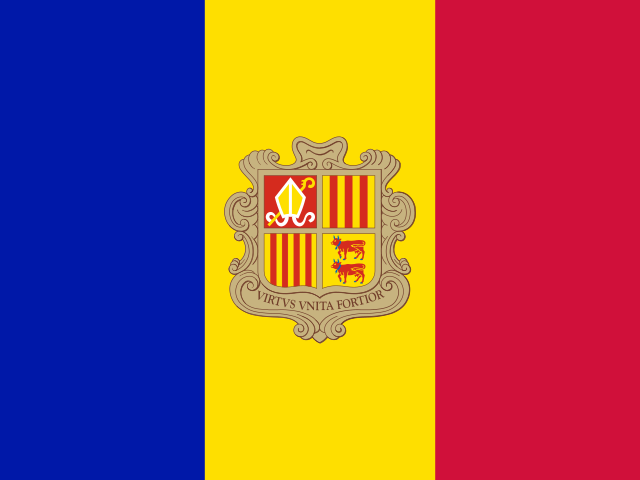 Andorra
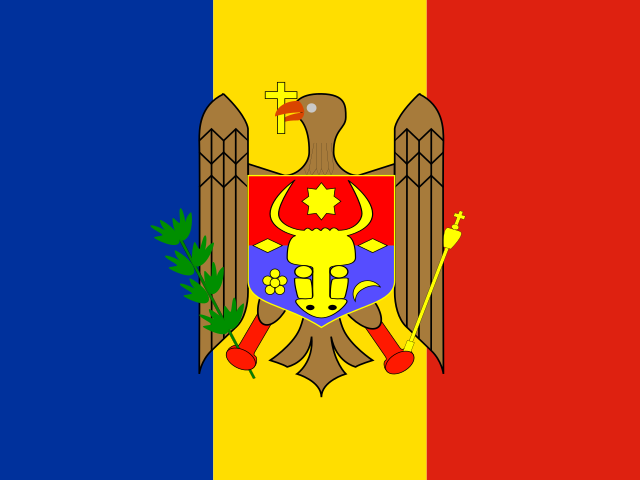 Moldova
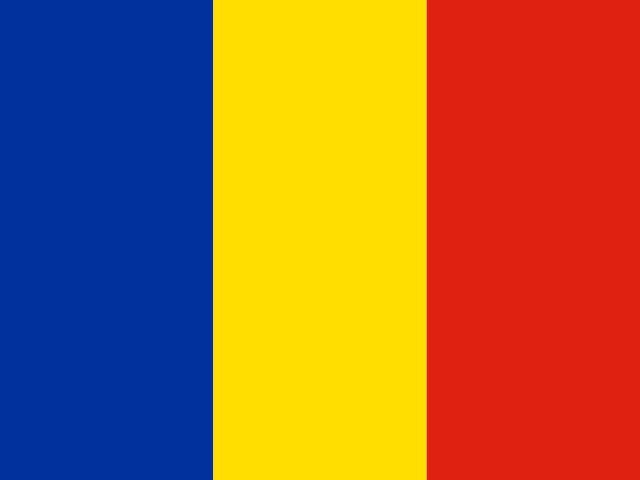 Romania
Why it works
Built on how memory works
Students who are tested on something remember far more a week later than students who re-read it. Flag Flash is built around that: quick recall, spaced out over weeks.
Flags flash, then they're gone
Students pull each answer from memory instead of staring until they work it out. That effort is what makes it stick.
A review every Monday
The 10 flags your class missed most in the last four weeks come back as homework, set for you.
See what's sticking
Your class page counts the flags students learned after a miss, and how many they still knew a week later.
Compared with other tools
The world, ready to play as a class
Quiz games like Kahoot and Blooket are great at running a class, but you have to bring the geography. Geography sites like Seterra have the content, but were built for one player. Flag Flash is both.
- Every flag, map mode and lesson packs, ready to use✓
- Live games, class battles and school battles✓
- Homework and results for each student, free✓
- A weekly review of what your class keeps missing✓
- First name only: no student emails, passwords or ads✓
No class needed
Quick warm-ups for any lesson
Our mission
Every child leaves school able to picture the world and name its countries.
Our mission and valuesPlans
Free to start. Simple when you grow.
Students never pay and never need an account. Every plan has live games, the race board, quizzes and results.
Free
$0 forever
For trying it with a class
- 3 classes
- Up to 40 students in a class
- Live games, race board and quizzes
- Results and the flags the class found hardest
Teacher Pro
$49 a year $6.99 a month
£45 or €49 a year · cancel any time
- Everything in Free
- Up to 30 classes
- Up to 60 students in a class
- Download results as a spreadsheet
School
$490 a year
Up to 20 teachers · $890 for a whole school
- Teacher Pro for every teacher
- Teachers covered by their school email
- Pay by card online, or by invoice or purchase order
- Data processing agreement
District
From $590 a school
$690 a school for 3 to 9 schools
- Everything in School
- Every school in the district or trust
- One invoice for all of them
- Your district's own data agreement
Prices are per year, with UK prices in pounds and EU prices in euros. Title I and high free-school-meals schools get 30% off School and District licenses, and a 2-year license is 10% off. If you paid for Teacher Pro yourself, we take it off your school's license.
Made a class before 1 November 2026? You keep everything free until 31 July 2027.
For schools and districts
Get a quote for your school
Tell us about your school and we'll email a quote within one working day.
- Pay by invoice or purchase order
- Data processing agreement and supplier details included
- Every teacher with a school email is covered automatically
- Want to try it first? Ask for a free 30-day school trial
Questions
Before you start
Do students need accounts or email addresses?
No. Students go to school.flagflash.com/join, type the class code and their first name, and they're in. There's nothing to install and no email address to collect.
What devices does it work on?
Any phone, tablet, Chromebook or laptop with a web browser. The live game and race board go on the classroom screen through your normal browser.
What do you store about students?
Only the first name a student types and their quiz results. You can remove a student or delete the whole class at any time, and nothing is shown publicly.
What happens when I reach the Free limits?
Nothing you've made disappears. On Free you can have 3 classes of up to 40 students; to add more, upgrade to Teacher Pro from your classroom page, or ask your school about a license.
Can my school pay by invoice or purchase order?
Yes. School and District licenses are paid by invoice or PO. Ask for a quote below and we'll send it within one working day, with our data processing agreement and supplier details.
Can I cancel Teacher Pro?
Yes, any time from Manage billing on your classroom page. You keep Pro until the end of the period you paid for, then go back to Free with all your classes intact.
I already use Flag Flash with my class. Do I have to pay?
No. If you made a class before 1 November 2026, you keep everything free until 31 July 2027.
More questions? See the help pages and the teacher's guide, email hey@flagflash.com, or read the full privacy policy.
Ready for your first game?
Make a class, put the code on the board, and play. It's free.
Start free